 Ahonui
Support
Chat with us and a real person answers. If we're asleep, we'll answer when we're up.
Start a chat or write to support@ahonui.app. We usually reply within two business days.
Reporting a bug? Send your iPhone model, your iOS version, and what you did just before it went wrong. If a blocked app was involved, name the habit that was blocking it.
Getting started
Four short videos, nine minutes in all.
-
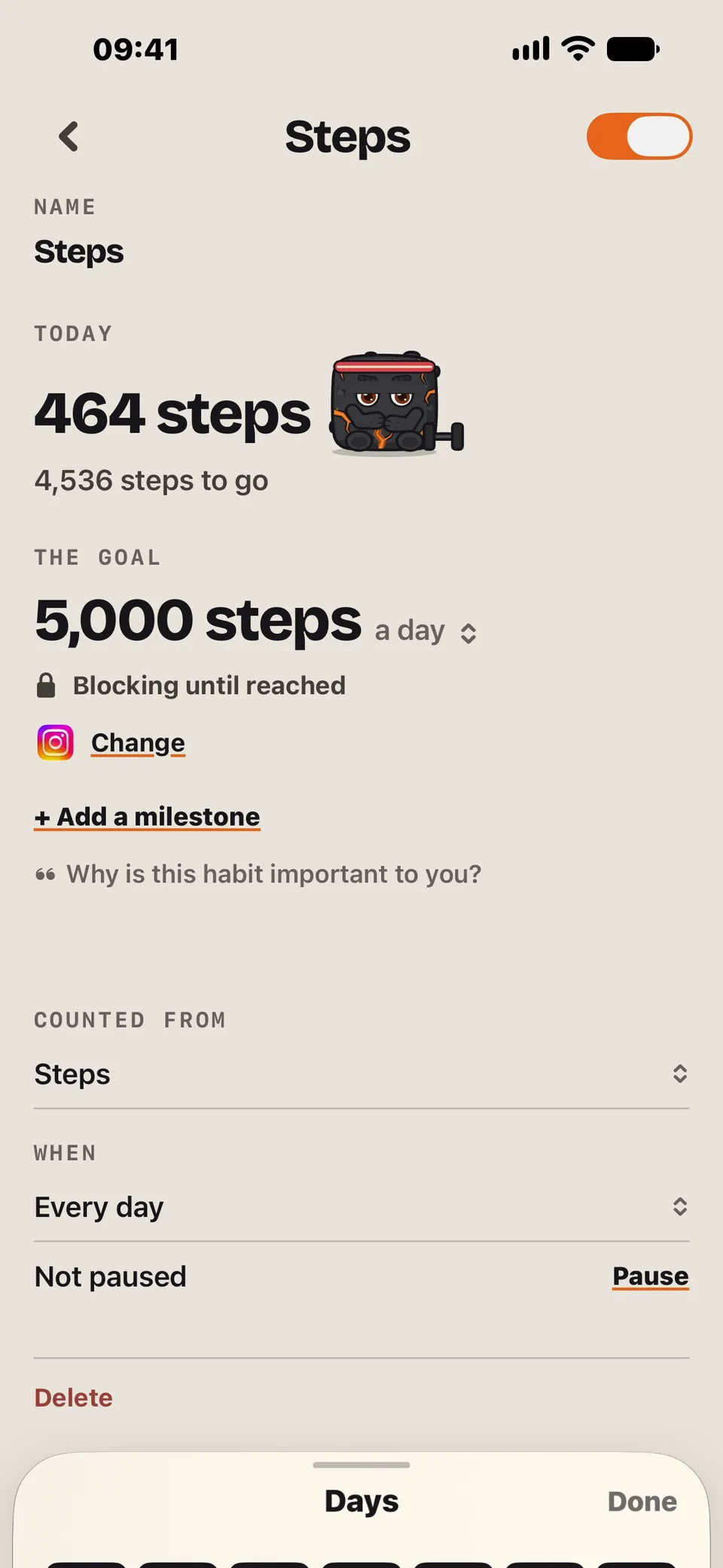
01Set up a habit
Pick a habit, set the goal, and choose the apps to block.
1:33
-
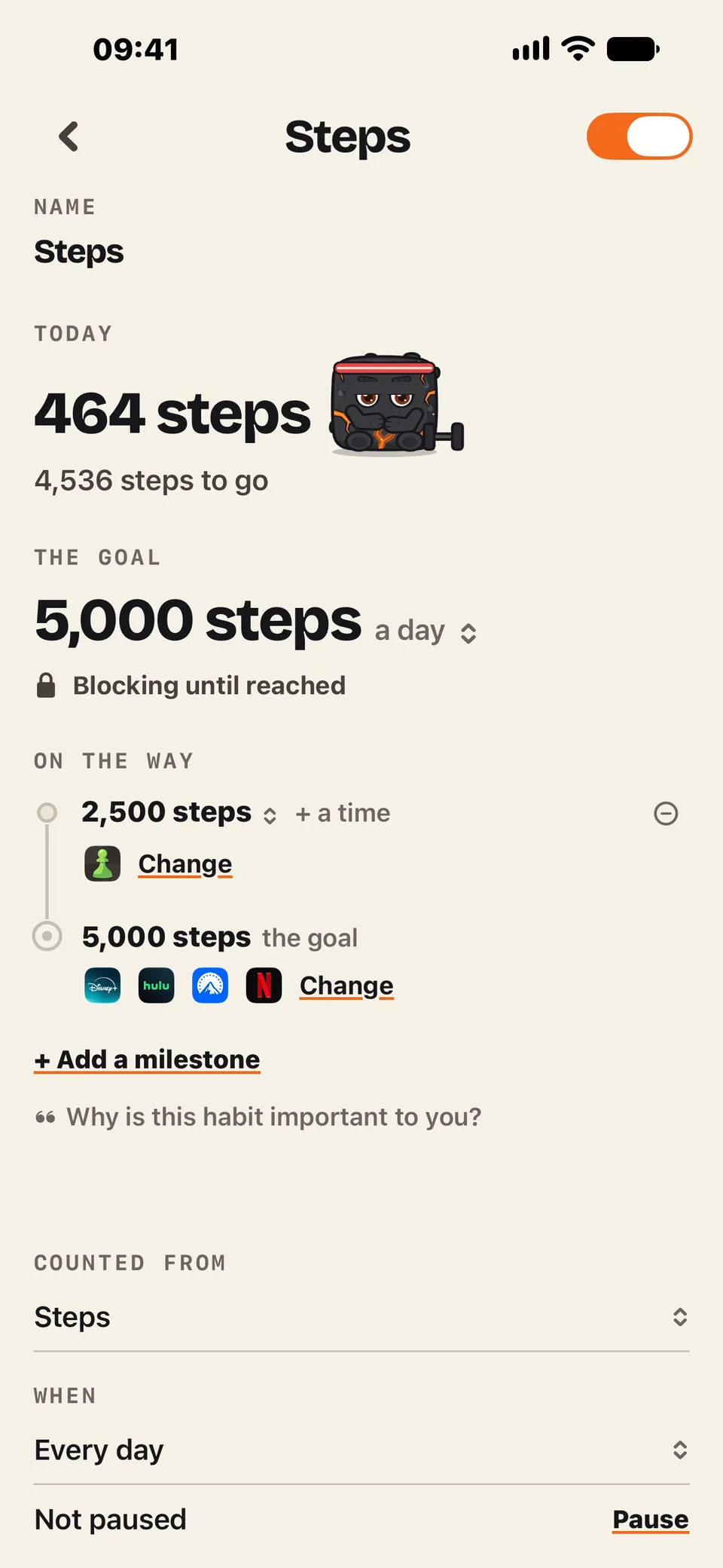
02Add a milestone
A smaller goal along the way that unblocks some apps early.
1:24
-
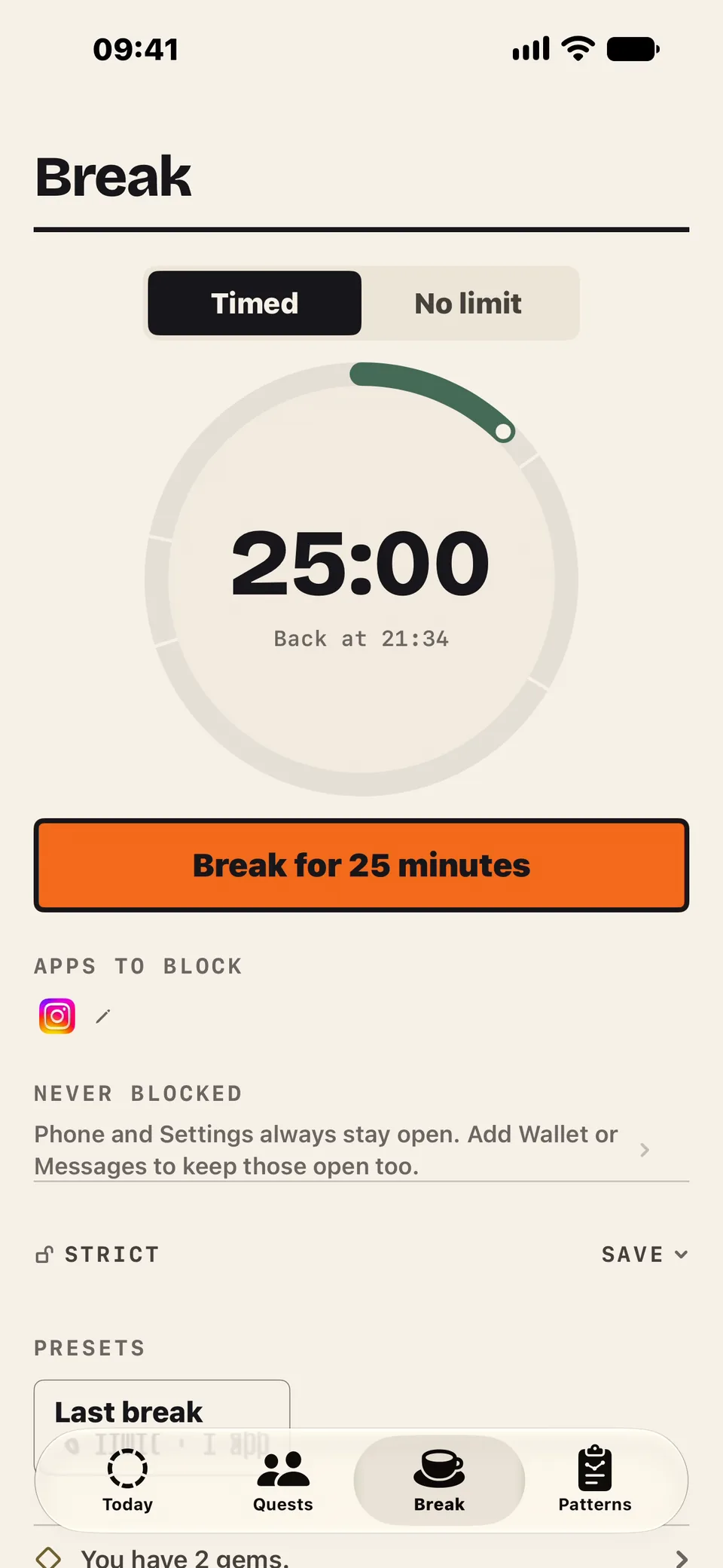
03Take a break
Block apps for a set time. On strict, you can't end it early without a gem.
2:59
-
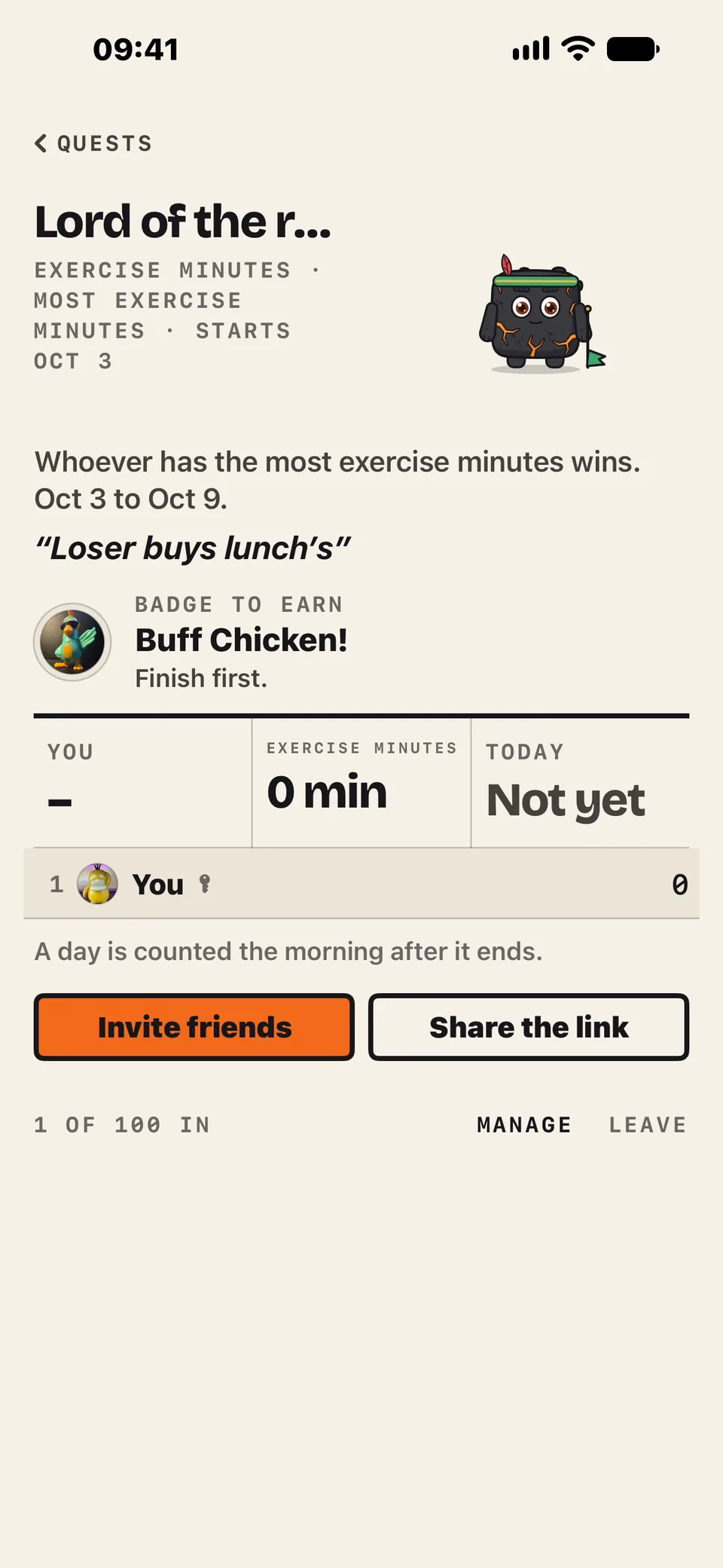
04Start a quest
Race your friends. Most minutes wins, loser buys lunch.
3:00


Common questions
Can I get into a blocked app if I really need to?
Yes, with a gem: 15 minutes for one, 30 for two. Every gem you use is recorded, and friends see it if you've turned on Show blocks you got past early. Doing the habit unblocks the app for free.
So there's always a way past a block. A strict break is as strict as it gets, and only if you choose it: it has no End button, and only time running out or a gem ends it.
I missed a day. Is my streak gone?
Often not. Rest days and paused days don't count against a streak. Only falling short ends one.
If you did fall short and a real streak ended, Ahonui offers to put that day back with a streak cover the next time you open it. You get streak covers at streak milestones, and friends can send you one.
Can I keep some apps from ever being blocked?
Yes. Ahonui asks you to pick them when you set it up: phone, maps, anything you might need in a hurry. They're never blocked, whatever you haven't done yet. Change the list any time in Settings, under Blocked apps.
Ahonui can't see my workouts, steps, sleep or meditation.
Those come from Apple Health. Check iOS Settings, then Health, then Data Access & Devices, then Ahonui. Permission is granted per category, so water can be on while sleep is off.
Meditation counts the Mindful Minutes another app writes to Health, such as Apple's Mindfulness app, Calm or Headspace. Ahonui doesn't have its own meditation timer.
Ahonui can't see my medications.
Medications need their own Health permission. Ahonui asks for it when you set up the habit. Check it in the same place.
Health shares the doses you log, not your schedule, so the habit asks for your dose times once. From each dose time, your apps stay blocked until that dose is marked taken or skipped in Health.
A widget isn't up to date.
iOS decides when widgets update. Opening Ahonui updates them right away, and water logged from a widget or Control Center counts as soon as you tap it.
How do I stop the notifications the app sends?
Settings, then Permissions, then turn off Help with your habits. That stops Ahonui's own notifications about your habits.
Words from friends are separate and still come through. To stop everything, turn off notifications for Ahonui in iOS Settings.
Nothing is being blocked.
Screen Time has to be on for the iPhone itself: check iOS Settings, then Screen Time. Then check that Ahonui still has Screen Time access, and that the habit has at least one app selected.
An app is still blocked after I finished the habit.
Open Ahonui and it unblocks right away. Blocks normally clear by themselves, but iOS decides when Ahonui gets to check while it's closed. If an app is still blocked after you open Ahonui, that's a bug. Please email us.
Does any of this work without a connection?
Blocking, yes. Your phone works it out from your habits and your day, without a connection or a sign-in.
Water, check-ins and fasts are saved on your phone and sync when you're back online. So a glass logged with no signal still unblocks your apps, and a fast you start shows everywhere right away. Meals need a connection. If you're offline, Ahonui tells you instead of saving the meal for later.
I cannot find a food, or the numbers look wrong.
Tap the meal and edit it: search again, change the serving, or enter your own numbers. What you save is what counts.
How do I connect an AI assistant?
Point it at https://webhook.ahonui.app/mcp. In Claude
Code:
claude mcp add --transport http ahonui https://webhook.ahonui.app/mcp.
In Codex:
codex mcp add ahonui --url https://webhook.ahonui.app/mcp
then codex mcp login ahonui. Elsewhere, add a custom
connector or HTTP MCP server with the same address.
You sign in and approve the connection. It's included in your subscription: nothing extra to buy, no credits to run out of.
A connected assistant can read your health data and habits, log meals, water and fasts, set up habits, change goals and settings, and report on your month. It cannot choose which apps are blocked, because those selections never leave your iPhone. Everything it does is in your event history. To disconnect one, open Settings, then Connected tools.
How do I delete my account?
Settings, then Delete account. It removes your meals and photos, fasts, water, weigh-ins, workouts, sleep, mindful minutes, pass history, goals and sign-in, and can't be undone. Anything Ahonui wrote to Apple Health stays there, for you to delete in the Health app.
I got a new phone. Is my data there?
Sign in and your history and goals come back. iOS keeps the apps you picked to block on the phone you picked them on, so pick them again.
Which iPhones does it run on?
Any iPhone on iOS 26.5 or later, with Screen Time enabled for blocking.
Privacy requests
For access, correction, deletion or any other data request, write to privacy@ahonui.app. Details are in the privacy policy.